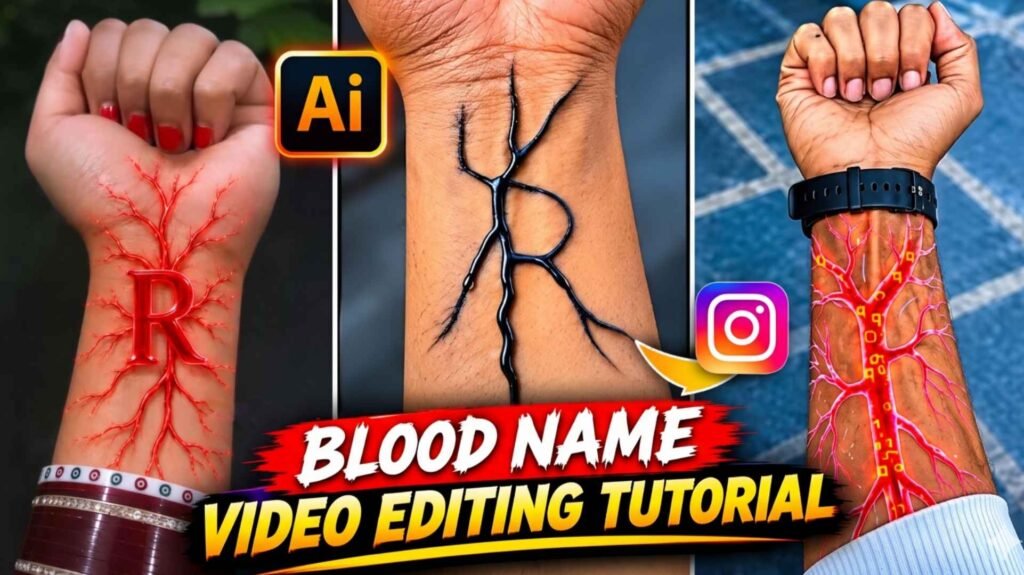
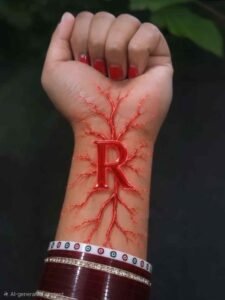
Nash Name Ai Video Prompt – Friends, a new AI video trend is being seen again on Instagram. This time people are making such amazing videos using simple photos of their hands, which can surprise anyone. In this trend, whether it is a boy or a girl, everyone can make a video using the first letter of the name of their favorite person. Someone is showing the name of his/her love, while someone is sharing the video by showing the alphabet of the name of his/her special friend or any other favorite person. The best thing about this video is that you do not need an expensive camera or any complicated editing app to make it. All you have to do is click a good photo of your hand and turn it into a great video with the help of the right AI prompt. In the video, glowing lightning-like veins are seen on the hand and then the whole scene changes to a different world, where the first letter of the name is seen glowing. If you are also watching such videos on Instagram and wondering how to make it with a photo of your hand.
Detail Of Nash Name Ai Video Editing
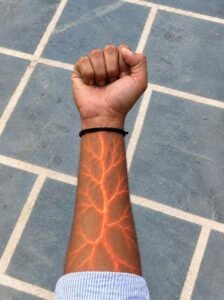
You must have watched this type of video carefully, but if you have not seen it yet, then let us understand what happens in it. The video starts with a photo of a simple hand. The fist of the hand remains closed and a normal background is visible behind it. In the beginning everything looks exactly like the real photo. After this, glowing red-orange veins gradually start emerging on the wrist and arm. These veins spread like branches of electricity and give a different look to the entire hand. After this there is a sudden change in the video. The scene with the hand becomes like a tunnel filled with bright red-orange energy. Light, rotating energy and lines like lightning start appearing all around. In the next part of the video the first letter of the favorite name appears big and bright. This letter appears amidst an environment full of energy, which makes the video look quite attractive. Fast-paced cinematic music or audio with electronic beats can be placed behind it. However, the exact song used in the viral video may vary.
This effect of transforming a simple photo into a spectacular scene is what makes this trend special. You can also make such a video with the alphabet of your choice.
How Should We Click A Photo Of Our Hand?
Before making such a video, it is very important to take the photo of the hand properly. If the photo is clear, the structure of the hand is clearly visible and there are not many things in the background, then it will be easy for AI to understand the photo. Therefore, keep some small things in mind while clicking photos. First of all, clean your mobile camera. After this, close your fist and keep it straight in front of the camera. Try to ensure that some part of the arm, starting from the wrist, is also visible in the photo, because the glowing veins in the video are formed on this part. Don’t place the hand too far or bring it so close that the fingers or wrist are out of the photo. It would be better to take the photo in natural daylight. Choose a place where there is enough light on the hand and the image is not blurry. You can keep floor, cement or any ordinary place at the back. Make sure the background doesn’t draw too much attention away from the hand. While taking a photo.
Nash Name Ai Video Prompt
CREATE A VIDEO
Make Nash Name Ai Video Using Flow Ai Prompt
Now let’s talk about making videos. For this we can use Google Flow AI. This is Google’s AI creative tool, with the help of which videos can be made by animating photos. By uploading a picture, you can tell through a prompt what kind of change and speed is required in the video. Available features may vary depending on your account and the model selected. Google Flow Help. First, open Google Flow and sign in with your Google account. Now start a new project or choose animating photo option from the available options. Upload the hand photo saved in your mobile. After this, select the video making option and write the prompt given below. If your interface provides options to choose the length and direction of the video, then select them as per your need. In the prompt, replace A with the first letter of your favorite person’s name. After this click on Generate and wait till the video is ready. Watch the video carefully once it is made. If you like the result, download and save it.
Final Thoughts
So friends, in this way you can also convert a simple photo of your hand into a wonderful video with the help of AI. The most important thing in this trend is that you do not need any big editing software in the beginning. With a clear photo, the right prompt, and a little patience, you can try creating your own character video. There’s no need to worry if the video doesn’t turn out the way you planned the first time. Make changes to the prompt and try again. For example, you can change the instructions to make the veins brighter or lighter, make the energy tunnel brighter, or make the letters appear larger.

I’ve Been editing photos and videos for over 5 years. Here, I share Lightroom Presets, Ai Photo Editing Prompts, Vn Templates, and easy editing tutorials so you can give your photos and videos a professional look. Welcome to the world of creative, high-quality editing