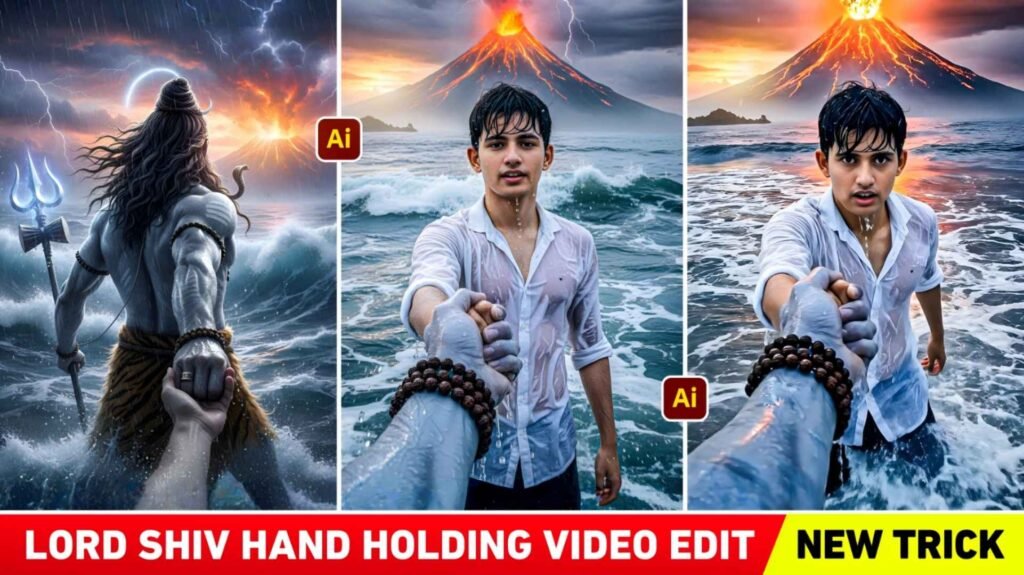
Lord Shiva Holding Hand Ai Video Editing Prompt – A new trend of devotional cinematic videos is going viral on social media. Which is being built with Lord Shiva. You might have recently seen a video on Instagram Reels in which Lord Shiva is holding the hand of a boy or girl and carrying them through the waves of the ocean. This video is going viral on Instagram right now. Because the festival of Shivratri is just around the corner. Therefore, everyone is creating and uploading such trending videos to celebrate Shivratri. This video of Lord Shiva holding hand is known as Ai video editing. Today’s article is about this, where we will tell you how to make such viral videos. You probably already know that to create any kind of Ai photo or video we need a prompt. So, in this article, we will give three prompts to create an Ai video of Lord Shiva holding hand. Because to make a viral video, we first have to make a photo. We’ll also use these prompts to explain which Ai tool to use for photos and how to create videos.
Details Of Lord Shiva Holding Hand Ai Video
The video of Lord Shiva holding your hand is a cinematic video in which we saw that Lord Shiva is holding your hand and taking you into the depths of the sea. The weather is generally rainy with frequent showers. The sky is full of different clouds and lightning. Big waves of the sea keep rising in which Lord Shiva keeps holding your hand and taking you along. If seen, the meaning of this video is that you are drowning in the sea and Lord Shiva has saved you. The reason this video has gone viral is that it is the latest trend. No one has made such a video before, and the second reason is the background music used in it, Sanatani Phonk. Now everyone adds this background music to their reels and uploads it. To create a video, you just need to have a good quality selfie photo in which the face is clearly visible. To make this viral video, we have to make two photos and with the help of those two photos the video will be made. You can use gemini or chatgpt Ai tool to create photos.
Create Lord Shiva Holding Hand Ai Photo Using Prompt
As we already said, first we have to make a photo, then we can make a video. This trend is linked to the image-to-video trend. This means, first create images, then video. The first picture that will be created will be something like this in which Lord Shiva will be seen pulling you from the sea, in which Lord Shiva’s entire body will be visible from behind and he will be holding your hand. In the second picture, you will see the full view in which the camera angle is from the side of Lord Shiva. In the thumbnail, we have shown a video sample along with two photos, which can give you an idea. To create photos, use the Gemini or Chatgpt Ai tools, whichever works best. Select Create Image option in both Ai tools. Then, upload a high-quality selfie of the person you want to photograph and copy the prompts provided. Paste in the chat box and send. Your photo will be created. You can save the photo by clicking on it. If you don’t get the right photo at once you can try again.
Lord Shiva Ai Photo Prompt


Create Lord Shiva Holding Hand Ai Video Using Flow Ai
We have told you how to make photos. You can also make videos in the same way. To create the video we will use the Flow Ai tool. Because it is very easy to make any kind of video with Flow Ai. We will need a prompt to create a video, so we are giving the prompt followed by a photo sample in this paragraph. Copy it carefully. Do not leave out a single text, otherwise the system will not make the video.
Video Create Prompt
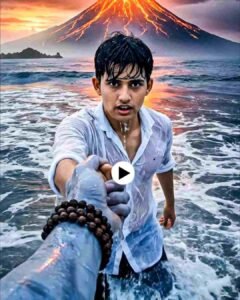
Copy the prompt, then go to the Flow AI website and log in with your Gmail ID by clicking on the “Create With Flow” button. After login, click on New Project option and choose Frame to Video option instead of Text to Video. Then, click on the first plus option below to upload the first photo, with the camera angle facing you. Then, click on the second plus option to upload another photo. Enter the same video prompt in the chat box that you have copied from our website. You will find a send button on the right side click on it and wait for a while. We will create the video after it is fully loaded. You can save the video in your gallery by clicking on the Save icon at the top. Now put your video in any video editing app and add background song Sanatani Phonk according to the video.
Final Word
In the end I would like to say this. In this new article we have taught you how to make a new type of reels video that goes viral on Instagram. Which is currently trending with the name Lord Shiva holding hand ai video. We have given complete information about making such videos in this article. Be it about making photos, making videos or prompts. So I hope that after knowing all this, you must have learned how to do Trending Lord Shiv Hand Holding Ai Video Editing. If you want to watch the editing video related to this, then you can join us on Instagram and watch the editing tutorial video related to this.

I’ve Been editing photos and videos for over 5 years. Here, I share Lightroom Presets, Ai Photo Editing Prompts, Vn Templates, and easy editing tutorials so you can give your photos and videos a professional look. Welcome to the world of creative, high-quality editing