Mirror Selfie Ai Prompt – Nowadays, giving a new look to photos with the help of artificial intelligence has become quite popular on social media. Earlier people used to take help of ChatGPT, Gemini or other AI tools to create such pictures, but now the Restyle feature of Meta AI available in Instagram has made this task much easier. Especially the trend of Mirror Selfie pictures is increasing rapidly on Instagram these days. People are giving different looks to their ordinary photos by adding them to Instagram Story through My Style or Restyle option. It features several ready-made effects, but the most useful option is Custom. The picture can be changed in the desired style by writing instructions of your choice in Custom. This is why people are able to revamp their photos directly within Instagram without having to go to a separate AI website or application. In this article, we will learn in detail about this viral Mirror Selfie style and will also understand the easy way to create such a picture with the help of Meta AI. We will also share some information about the various filters available in Re Style.
Meta Ai Restyle Mirror Selfie Photo Editing
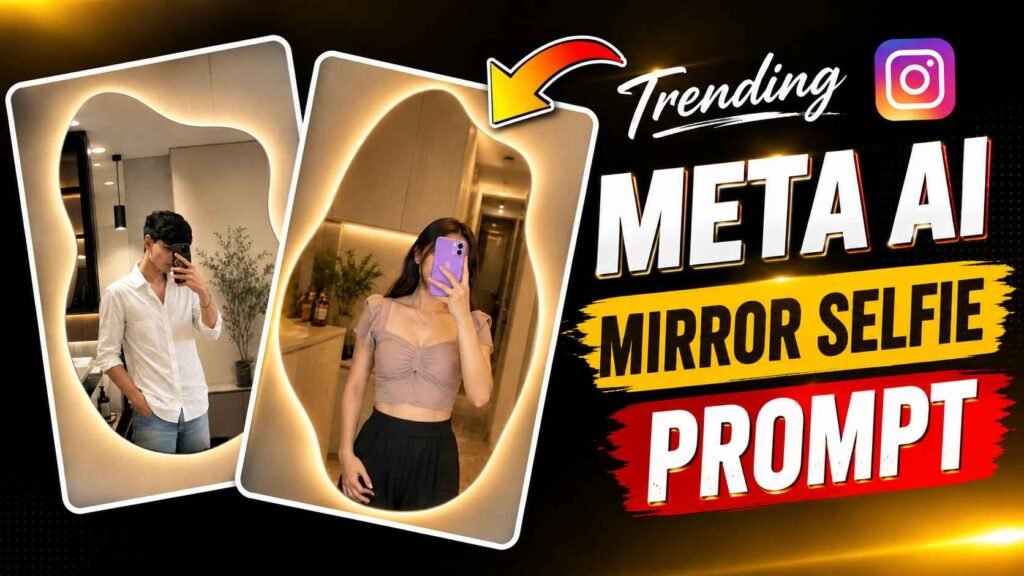
Both the photos shown above are good examples of the modern Mirror Selfie style. In the first photo, a young woman is seen taking a selfie in front of a large, irregularly shaped mirror. He has a colored mobile phone in his hand, which covers his face to a great extent. She is wearing an attractive light pink top and has a small jewelery around her neck. The back room looks quite beautiful and expensive because of the warm yellow lighting, wooden furniture and ornamental plants. The light on the edges of the mirror gives a special look to the picture. In the second picture, a young man wearing a white shirt is taking a Mirror Selfie in front of a similar modern mirror. Behind that are visible plants, decorations, cupboard and a dimly lit room. The most striking thing about both the photos is their clean home environment, large irregularly shaped mirror, soft warm lighting and natural selfie pose. This combination is what makes these photos different from ordinary selfies and attractive for Instagram.
To create such a picture, try to click a photo which is taken right in front of the mirror so that the photo turns out to be absolutely good. I then provide a prompt in the next paragraph, along with a description of how to use it to create a picture.
Mirror Selfie Ai Prompt


How To Create Photo Using Instagram Meta Ai?
It is quite easy to create such a picture with the help of Meta AI. First of all, open Instagram and go to the Story creation option. Now select the photo from your gallery which you want to convert into this style. Go to My Style or Restyle option that appears after adding the photo. Here you can see many ready effects. If you want to customize the photo, choose the Custom option. After this, in the chat box that appears, write one of the instructions given above or modify it as per your requirement. After sending the instructions Meta AI will try to redesign your photo based on the same details. For better results, it is useful to clearly mention things like room lighting, mirror size, clothes, background and actuality of the photo in the instructions. If the first picture doesn’t turn out as you expected, try again with small changes to the same instructions. Results may vary slightly on different photos, so it’s normal to make several attempts with the same instructions.
Conclusion
Meta AI’s Restyle feature in Instagram has made it much easier to give a new look to photos. Now creating such Mirror Selfie photos does not require any separate website, editing application or complicated process. It is enough to add your simple photo to Instagram Story and write the correct instructions in the Custom option of My Style or Restyle. Currently, Mirror Selfie style is also becoming popular because in this, ordinary photo can be given a new look with modern room, lighted mirror and attractive environment. In today’s article, we have talked about doing similar editing. In which we have given information about creating such a picture. Without using any tool and only with the help of Instagram. In this article, we have also shared a Mirror Selfie Ai Prompt for those. Who want to create a picture using a custom prompt.
FAQ
1. Can A Mirror Selfie Photo Be Created Using Meta Ai?
Ans. – Yes, if the corresponding Meta AI and Restyle feature is available. In your Instagram account, then you can try to create such a photo with the help of Custom instructions.
2. Will Every Photo Produce The Same Result?
Ans. – No. The result may depend on your original photo, the written instructions, and the processing performed by Meta AI.
3. Is Face Recognition Secure?
Ans. – The instructions may explicitly state to keep the face and identity as per the original photo

I’ve Been editing photos and videos for over 5 years. Here, I share Lightroom Presets, Ai Photo Editing Prompts, Vn Templates, and easy editing tutorials so you can give your photos and videos a professional look. Welcome to the world of creative, high-quality editing