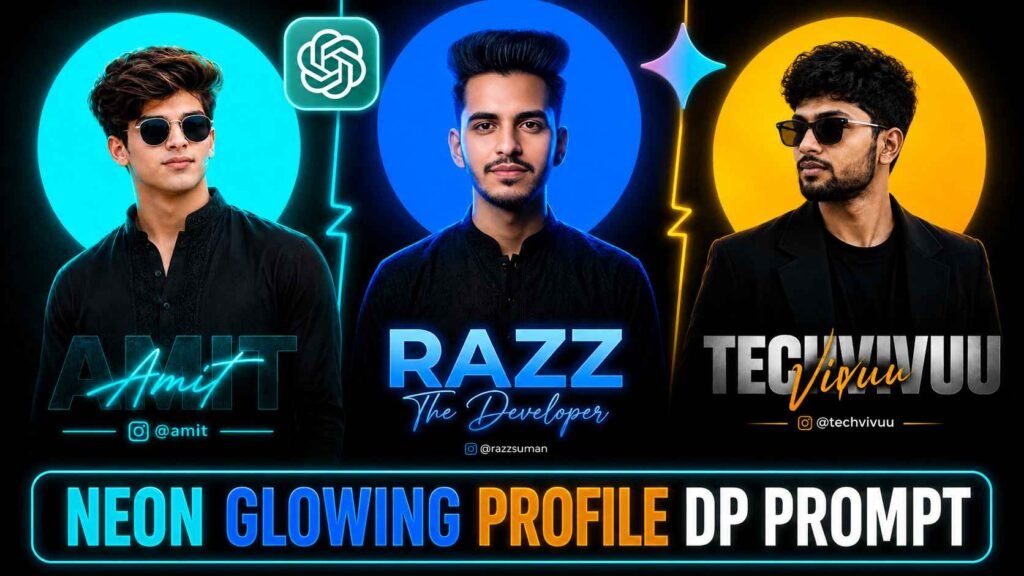
Profile Picture Editing Prompt – In today’s time, profile photo is no longer just a medium to show identity, but it also reflects our personal style and professional identity. Especially when your name and social media identity are also visible beautifully in the profile photo. So it looks much more attractive than an ordinary photo. I have also created a similar amazing Neon Glowing Profile DP with the help of artificial intelligence, which can be used as WhatsApp DP, Instagram DP or social media post.
You don’t need any complicated photo editing software to create a photo like this. With the help of just a good photo of yourself and proper instructions i.e. Prompt, you too can create such a professional profile DP. In this article, I will give you complete information about such bright and modern profile photos and will also share the prompt, with the help of which you can prepare your photo in this style. Anyway, you must be aware that everyone likes the profile DP in which our name and Insta ID are mentioned.
Details Of Neon Glowing Profile Picture Dp Editing
All three profile photos shown before you show the same main style, but the color, background and presentation of each photo is different. In the first photo the person is standing looking forward and behind him is a large circular light of bright blue color. She is wearing black traditional attire. “RAZZ” in big letters below that, “The Developer” in bright writing below that, and the Instagram name at the bottom. Which looks very professional, people like to make such DP. You can easily create this type of profile DP as per your choice by changing the name or color given in the prompt. In the second photo, the man’s face is slightly slanted and he is wearing a black blazer with dark glasses. The yellow circular light behind gives a distinct identity to the entire picture. The person’s name is clearly spelled out in bold capital letters below, and above that is a handwritten style in gold. If we talk about the third picture, we will see that the person is looking towards the camera. Behind is a bright cyan circular light in a dark blue-black environment. “VIVUU” in capital letters below, which is the name of that person.
Which is the name of that person. Above that is the name in neon style and the Instagram identity below. I would advise you that whenever you think of making such a profile DP, first add the prompt in notepad and change all the things as per your choice like name, color of the profile DP and all this. Then create profile DP using it along with your reference photo in AI tools.
Can We Create Such A Profile Dp Using Meta Ai?
Yes, you can create similar Neon Glowing Profile DP with the help of Meta AI also. The prompt given in this article is not limited to any one AI tool. You can use it in different AI tools like Meta AI, ChatGPT, Gemini or Grok as per your requirement. However, the end result depends greatly on the quality of your reference photo. So choose a photo in which the face is clearly visible, the lighting is good and the photo is not too blurry or of low quality. AI is able to understand your facial features better when it has a good reference photo. If you’re using Meta AI, I’d recommend trying out Instagram’s Restyle option as well. I have tried creating some profile pictures like this there and got good results. The result may vary slightly on different photos, so clearly write down your choice of colors, name, and Instagram identity along with the prompt if necessary.
Profile Picture Editing Prompt

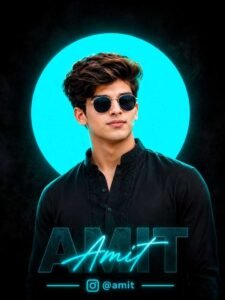
Dp Edit Prompt

Make Neon Glowing Profile Picture Dp Using Prompt
Creating this type of profile DP is quite easy. For this, first of all choose a clean and good quality photograph of yourself, in which your face is clearly visible. Using a photo that is too blurry, poorly lit, or overly filtered may result in results that are not as expected. Now upload your photo to your favorite AI tool. After this, copy the Profile Picture Editing Prompt given below in this article and paste it in the same chat. In the prompt where you are asked to write your name, surname or social media ID, enter your information. If you want any other neon color instead of blue, you can change it as per your choice. After sending the prompt, AI will create your photo as a new profile DP as per the given instructions. If the face, name or design does not come out exactly right the first time, you can get it improved by giving clear instructions again in the same conversation. This way, without any complicated editing, you can turn your ordinary photo into an attractive Neon Glowing Profile DP with name and social media ID.
Overall
This type of Neon Glowing Profile DP is very useful for those people who want to give a different and professional identity to their ordinary photo. The special thing is that for this you do not need to spend hours editing photos. With your good quality photo, right prompt and preferred color. You can create such an attractive profile picture in just a few efforts. You can use it as a profile picture on WhatsApp and Instagram as well. As on Instagram posts, Facebook profiles or other social media platforms. Adding your name and social media identity to the photo makes it not just a DP, but a part of your personal branding. Make sure to use the Profile Picture Editing Prompt we have provided and create this type of profile DP.

I’ve Been editing photos and videos for over 5 years. Here, I share Lightroom Presets, Ai Photo Editing Prompts, Vn Templates, and easy editing tutorials so you can give your photos and videos a professional look. Welcome to the world of creative, high-quality editing