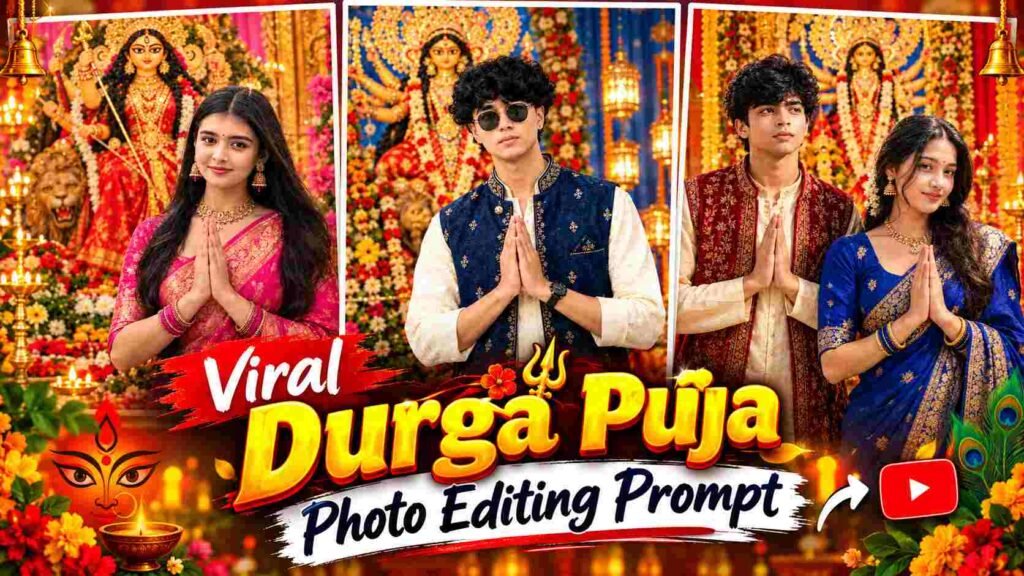
Durga Puja Photo Editing Prompt – During Durga Puja, there’s a growing trend of using AI to revamp traditional and festive photos. If you have a normal photo and want to transform it into a cinematic portrait of a beautiful Durga Puja celebration, ChatGPT can easily do this. The five different Durga Puja photo editing prompts in this article are tailored for boys, girls, and couple photos. Two prompts are for boys, two for girls, and one for a boy-girl couple photo. After AI editing, elements like traditional outfits, the Maa Durga idol, a decorated pandal, flowers, diyas, warm festive lights, and a cinematic background are added to your normal photo. The prompts also focus on preserving the original face, hairstyle, skin tone, and natural body proportions, so that the final image looks not only festive but also realistic. With these prompts, you can transform your photo into a clean and professional-looking Durga Puja portrait for Instagram, Facebook, or festive social media posts.
What is Durga Puja AI Photo Editing?
Durga Puja AI Photo Editing uses your original photo as a reference and creates a complete festive environment around it. This collection includes five concepts for different requirements, allowing you to choose a suitable prompt based on your photo. For boys, a festive look consists of a traditional kurta and Nehru jacket or embroidered jacket, while for girls, a Banarasi saree, traditional jewellery, and various elegant festive styles are provided. In the Couple prompt, coordinated traditional outfits and a Durga Puja celebration background are created, keeping the identities of both the people naturally similar. All the prompts have a cinematic depth and realistic photography look, with elements like the Maa Durga idol, decorated pandal, flowers, golden decorations, diyas, or festive lights. The aim is to ensure that the final image does not look artificial or cartoonish, but rather feels as if your photo was actually captured on camera in a beautifully decorated Durga Puja pandal.
5 Durga Puja Photo Editing Prompts
The five prompts below are designed for different photo requirements. The first two are for individual Durga Puja portraits for boys, the next two are for traditional festive portraits for girls, and the last prompt is for transforming a couple photo of a boy and a girl into a Durga Puja celebration. Each prompt features a different style for the outfit, Maa Durga idol, pandal decoration, lighting, and overall atmosphere, so you can use any prompt that best suits your photo. If you want a royal traditional look for boys, you can choose from the first two options, while saree and jewelry-based festive looks are available for girls. A separate prompt is dedicated to creating a coordinated Durga Puja portrait while maintaining the identity and appearance of both individuals.
5 Actual Durga Puja Photo Editing Prompts
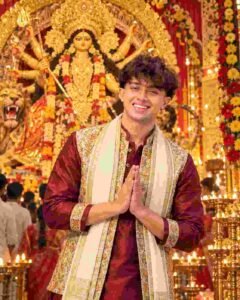
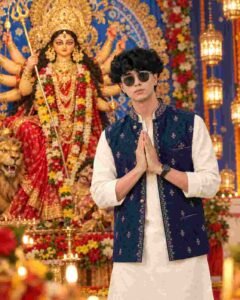
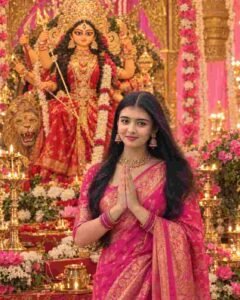
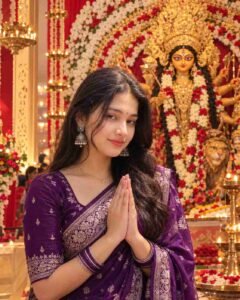
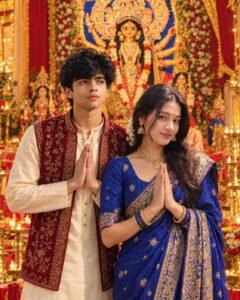
You can use these prompts in ChatGPT with your reference photo. For better results, it will be more useful to upload a reference image of the same type of photo mentioned in the prompt.
How to Create a Durga Puja Photo with ChatGPT?
First, select a clear photo of yourself in which your face is clearly visible and the image isn’t too blurry or heavily filtered. Then, upload your photo to ChatGPT and copy and paste the appropriate prompt from the five prompts listed above, as per your requirements. If you’re editing a boy’s photo, use the “boys” prompt, for a girl’s photo, use the “girls” prompt, and for a photo of them together, use the “couple” prompt. After submitting the prompt, ChatGPT will generate a new image using your uploaded image as a reference, with the outfit, Durga Puja pandal, Maa Durga idol, flowers, lights, and festive atmosphere. Once the image is created, carefully check your face, hairstyle, clothing, and overall composition. If you notice any minor flaws, such as a slightly different face, unnatural hand position, or an unwanted element in the background, you can refine them by giving small correction instructions based on the generated image. This way, you can transform your normal photo into a realistic Durga Puja portrait without the need for complicated photo-editing software.
How to Maintain a Realistic Look?
The most important factor in ensuring an AI-generated festive photo appears natural and clean is the quality of your original reference photo. Use an image with a clear face, unharmed lighting, and clearly visible hairstyle and facial features. Despite the prompt’s instructions to preserve identity, a low-quality or heavily edited reference image can impact the result. Also, check that the details of the face, skin texture, hands, jewelry, and clothing appear natural in the generated image. The Maa Durga idol and pandal decorations in the background can be detailed, but there should be no artificial glow or excessive effects on the subject. If a detail appears unrealistic in the final image, it’s best to provide small, specific correction instructions to change it. This can gradually make the photo more realistic and professional while maintaining the original composition and facial identity.
Final Thoughts
If you want to transform your normal photo into a traditional and cinematic festive portrait this Durga Puja, these five different prompts can be useful for different requirements. There are two different traditional looks for boys, two elegant saree-based looks for girls, and a dedicated festive concept for a boy-girl couple. All you need to do is upload your suitable reference photo, choose the appropriate prompt, and use it in ChatGPT. The generated image incorporates elements like the Maa Durga idol, a decorated pandal, flowers, diyas, festive lights, and traditional outfits to give a normal photo the look of a complete Durga Puja celebration. Use a clear reference photo and make small, specific corrections to make the final result more natural. This way, you can create a realistic Durga Puja AI photo of your choice without complicated manual editing and use it on Instagram, Facebook, or in your festive posts.

I’ve Been editing photos and videos for over 5 years. Here, I share Lightroom Presets, Ai Photo Editing Prompts, Vn Templates, and easy editing tutorials so you can give your photos and videos a professional look. Welcome to the world of creative, high-quality editing