Google Gemini Ai Photo Enhancer – Friends, to grow their Instagram ID, people click or edit different types of photos and post them. So that they get good likes on their photos, which will help their ID grow a lot. But let me tell you, just posting photos is not enough. We also have to keep in mind how much detail we are giving in our photos. That is to say, if you edit and post your photo in good quality, then Instagram itself boosts the photo. You must be aware that nowadays it is the era of AI. People do everything like editing photos, clicking or posting them through AI. So today’s article is about how you can make any type of blurred photo in full HD quality with the help of AI. Earlier people used to use various editing apps like Remini, PicsArt and Magic Eraser editing apps to make their photos in HD, but with the arrival of Google gemini and chatgpt the whole game changed. Like people can make any kind of photo with these two AI tools.
Similarly, now with the help of a gemini photo enhancer prompt, people are creating any kind of blurred image in high quality HD.So in this article we are going to share the same prompt with you.
Details Of Ai Photo Enhancer Prompt
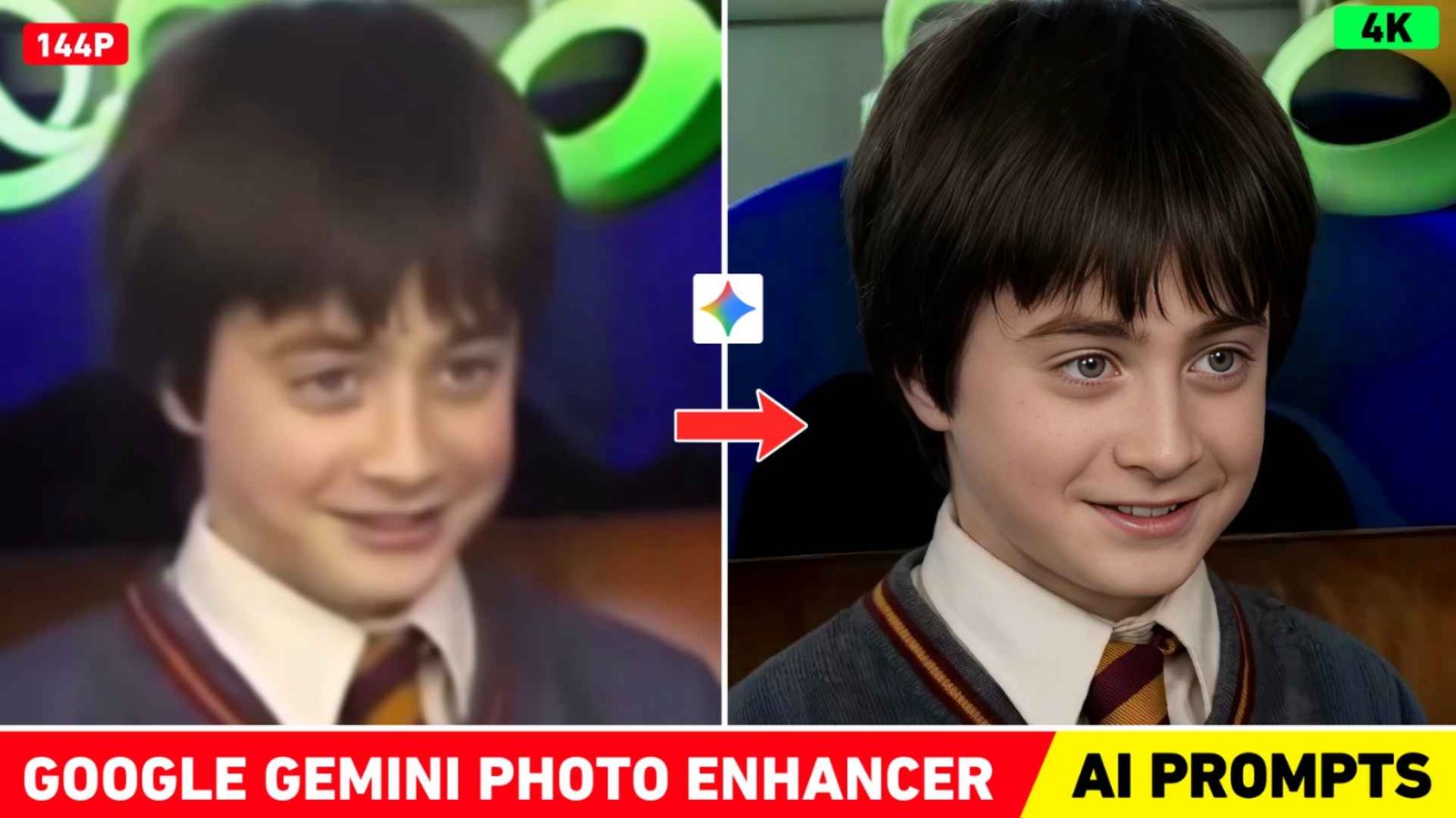
The prompts I will give in this article can make any type of photo HD. No matter how bad or blurry your photo is, it will turn it into HD in just one click. Because this prompt has been made accordingly. So that it works well on every photo. For example, we have shown a blurred photo in the thumbnail and made the same in HD with the help of AI. I have also shown its photo which can be understood after seeing it. Every thing is clearly visible in the photo. No matter how much you zoom the photo. The quality of the photo will not decrease at all. Our photos cannot be made in HD as much by AI as by editing apps. On Instagram, we saw that people are sharing different types of videos related to this in which people talk about prompts. Some prompts work well and some do not work so well. But the prompt we have given will work perfectly on every photo. Just keep this in mind.
Should We Use Ai Or Editing Apps for Hd?
Mostly this depends on you. If your photo is slightly blurred, of low quality or old and you want to give sharpness to small details in it, then using AI would be best. But if your photo is already fine then just want it in there. If brightness, color, contrast or some sharpening is done then editing app will be fine. Only if you use the right editing app, this thing will be fine because in many editing apps, it can either make the photo HD or paint it. Due to which the photo starts looking even worse. To make just a few photos natural and HD, you can use some editing apps like Magic Eraser and Ai Enhance Tool given in PicsArt. To make the photo completely HD, only Ai will be right. All you have to do is copy the given prompt properly, then add the prompt with blurred photo in Gemini or Chatgpt and send it. Within some time the photo will be completely ready in HD quality.
Gemini Photo Enhancer
Enhance The Photo With Gemini Ai Or Chatgpt
You can enhance the photo with both AI tools. Both will easily make any type of blurred photo HD. Most of the people are now telling to use gemini, so believe me, you should use gemini only to enhance your blurred photo. To enhance, you have to go to Gemini’s website or application and login there with your Gmail ID. After that, click on the media option and upload any of your blur images there and put the prompt provided by us in the chat box and click on the send button. After doing this, Gemini will start blurring the image into HD, so you have to wait for some time. Waiting for a minute, your photo will be created in high quality HD, it is possible that the quality of your photo may look a little bad there. But when you click on the photo and save it by clicking on the Save Icon below and open it in the gallery, the photo will be shown there in HD. You can do the same using chatgpt also.
Conclusion
Friends, this is what we have told you in today’s new article. How Ai enhances any blurred image to HD quality. So that whenever you share any of your photos on social media, complete details are visible in it. In this article, we share a prompt that easily converts any photo into HD. You can use the prompt either in Chatgpt or in Gemini photo enhancer. I hope that after knowing everything well, you must have learned to make your photos HD. If you do not see good results in one go, then definitely try again.
Na
FAQ
1. Will It Also Change The Face?
Ans. – No, the face will not change at all, rather more details will be visible in it.
2. The Background Will Also Change?
Ans. – No, the background will remain 100% the same as in your original photo.
3. Will The Face Become Smooth?
Ans. – The skin won’t be too smooth. It will be just a little smooth so that it looks completely natural.
4. What Will Be The Final Output Quality?
Ans. – 4K resolution, 10-bit color, high clarity, editorial cinematic style.
5. Will Any New Effects Be Added To The Image?
Ans. – Won’t add any fake glow, extra blush, or artificial effects to the image.

I’ve Been editing photos and videos for over 5 years. Here, I share Lightroom Presets, Ai Photo Editing Prompts, Vn Templates, and easy editing tutorials so you can give your photos and videos a professional look. Welcome to the world of creative, high-quality editing