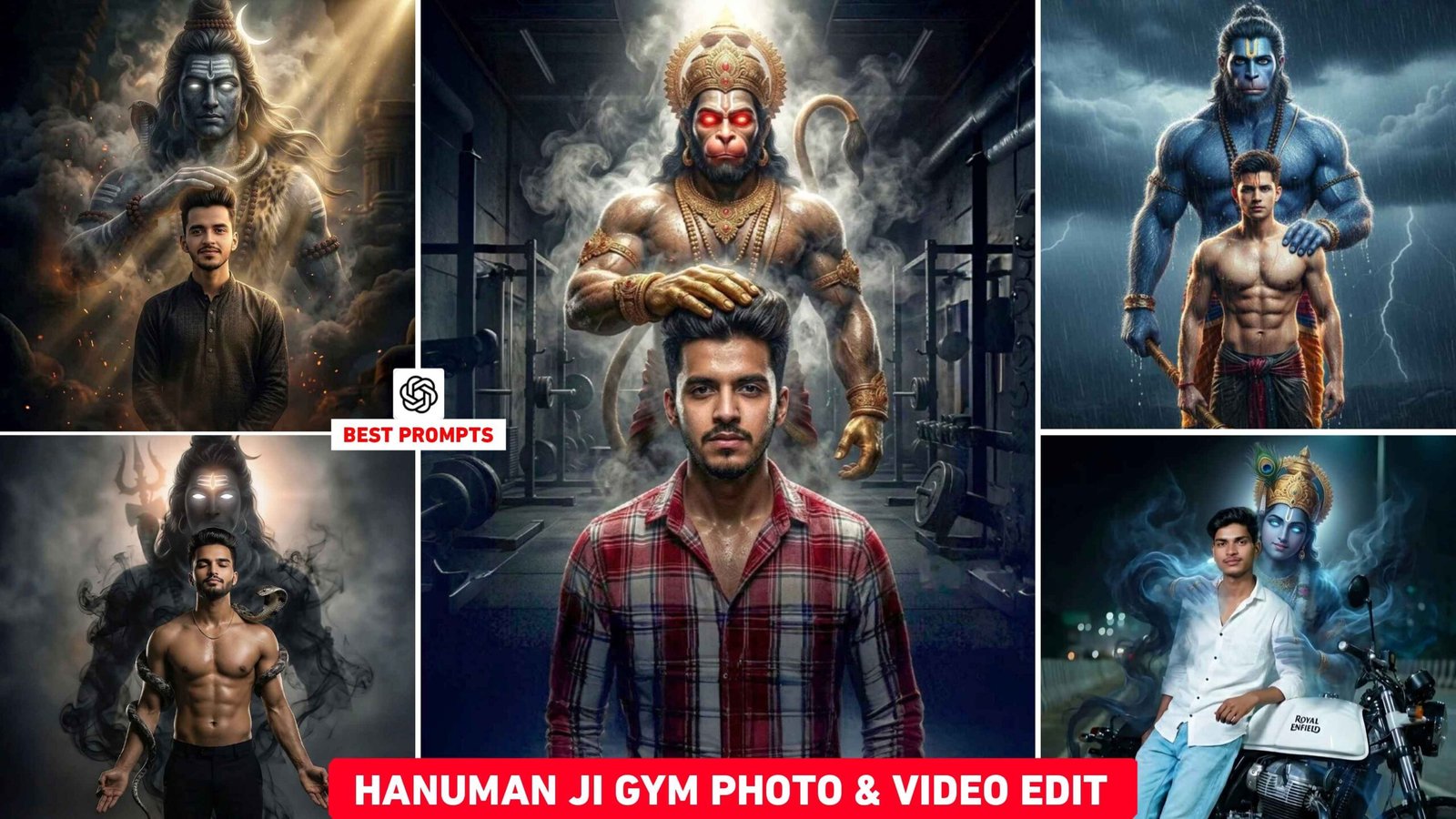
Hanuman Ji Gym Ai Photo & Video Editing – I have been seeing this on social media for the last several days. People are very fond of making videos with God. Many people are making both photos and videos and posting photos and videos with Lord Shiva, Hanuman ji and Krishna Ji on Instagram. Which are becoming viral rapidly. The video which is going to be most viral is the Hanuman ji gym video because I have seen that the trend of Hanuman ji videos is very viral. So today’s article is related to this in which I am giving you information about editing with God. Let me tell you, people are doing different types of editing. But to do any kind of editing, you must first create a photo. A prompt is needed to create a photo. So here we will give prompt to make photo with God which everyone is doing. If you are thinking of making videos along with photos. So we will also give information related to video editing in this article.
Information Hanuman Ji Gym Ai Photo And Video Editing
This trend first started with Hanuman ji gym video. People video themselves doing deadlifting in the gym. As soon as he lifts the dumbbell, Hanuman ji places his hand on his head from behind. This video became so viral that other videos related to it also started going viral on social media. Like when someone is playing cricket and as soon as he hits a good six, Lord Shiva places his hand on his head from behind. The background music used in such videos is Sanatani Phonk song. That is, to make a video, first you have to add God to the photo. Therefore, we have given prompts to make both photos and videos of every type. Which can be created using Chatgpt. You can also easily create photos using selfie photos. The prompt I’ve given will create a photo of Hanuman ji with a gym-themed background and different dumbbells. In your photo, Hanuman ji will be seen with his hands on his head. Similarly, photo will also be made with Lord Shiva and Krishna, only the background will be different.
Create Hanuman ji Gym Ai Video Editing
To make Hanuman ji gym video, you need to record a good gym video. Record yourself doing this deadlift. Once recorded, open it in any editing app and stop at the point where you pull the dumbbell up with both hands. Pause the video right there and take a screenshot. After taking the screenshot, add Hanuman ji to your photo using the prompts given in this article. We have also seen people adding Lord Shiva to such videos. If you want to make a video with Lord Shiva, then I have given a prompt for that also. Similarly, you can take a screenshot and add Lord Shiva to your photo using the prompt. Once you have added Hanuman ji to the screenshot photo via the prompt, open it again in the same editing app and add it at the end. Then you can make a video as per your choice by applying transition effects in it and match it by adding background music Sanatani Phonk.
God Ai Prompt
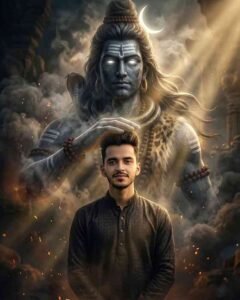
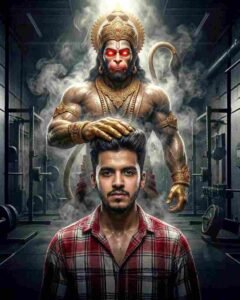
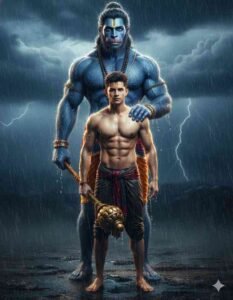
Hanuman Ji Gym Editing
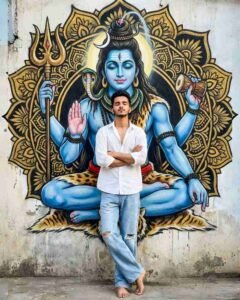

Important Things
The Ai prompts in this article have been specially customized and rewritten for creative guidance only. They are not directly copied from any website, but rather have been created with editing and personalization. Users can further modify the prompts to suit their needs.
How to Add Any God In Your Photo Using Chatgpt Prompt
We have given several prompts in this article to add any kind of god to the photo. All you have to do is look carefully at the sample photo of the god you want to add to your photo. A prompt will appear in a box just below the photo. Copy it by pressing it properly. Once the copy is complete, have a screenshot ready, or take a different kind of selfie. After that, let us explain step by step how to create photo using Chatgpt or in other words how to add God to photo.
- Open the chatgpt website or app.
- Login there with your Gmail Id.
- To create a photo, click the plus option below and add the same screenshot or a selfie you want to add God to.
- Add the prompt you copied from here to the chat box.
- Now click on the send button icon in the right side corner.
- Wait for two to three minutes until your photo is created.
- After waiting a few moments, the photo will be created. Click on the photo and save it.
Last Word
In this article, we have explained about the God photo and video editing trending on social media. We have given information about the current trend of Hanuman ji gym video or in other words, we have told about how to create a photo by adding God in any photo. If you’ve come to our website to create a Hanuman ji gym video or add Bajrangbali to a photo, then this Chatgpt God Ai Photo Editing Prompt would be a good option for you. You can use these prompts in tools other than Chatgpt. You can also use them in Gemini to create photos.

I’ve Been editing photos and videos for over 5 years. Here, I share Lightroom Presets, Ai Photo Editing Prompts, Vn Templates, and easy editing tutorials so you can give your photos and videos a professional look. Welcome to the world of creative, high-quality editing