
Diwali Ai Photo Prompts – Friends, the festival of Diwali is now very close. This time Diwali will be celebrated on 8 November 2026. You must have seen that these days various beautiful pictures related to Diwali are being shared a lot on social media, especially Instagram. Someone is making a picture with a burning lamp in his hands, while someone is sharing his picture sitting near a rangoli and lighting a lamp. Not only this, pictures of small sky lanterns flying in the sky, colorful lights, fireworks and home decorations are also being liked a lot. Many people are even converting a simple photo clicked on their terrace into a beautiful Diwali photo. If you also want to create such a wonderful picture of yourself this time, then today’s article is going to be very useful for you. Because in this article we have brought for you not just one or two, but more than 20 Diwali AI photo prompts. With their help you can transform your ordinary photo into a beautiful festival photo. For this you neither need to have any major photo editing knowledge nor do you need to learn any difficult method.
About Diwali Ai Photo Editing
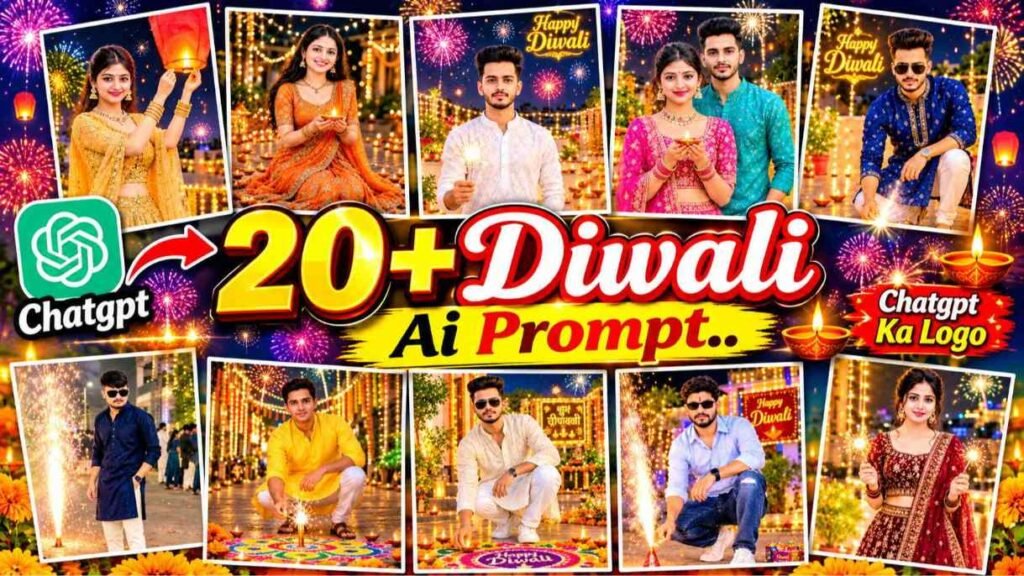
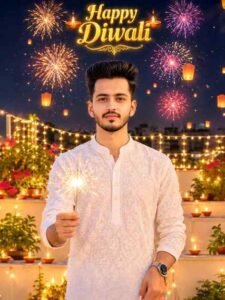
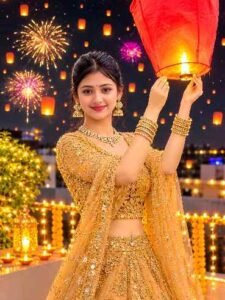
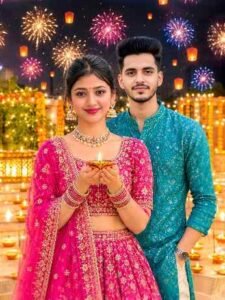
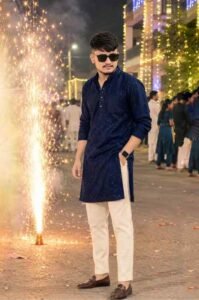
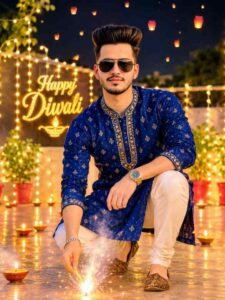
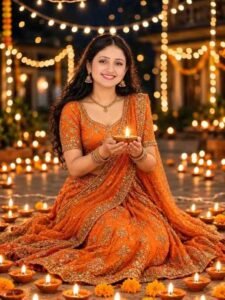
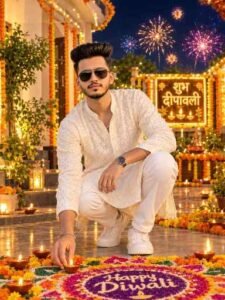
We created all the pictures you see above to showcase different Diwali styles. These include examples of photos of boys and girls as well as couples. The most important thing is that a different color of Diwali. Every picture shows it clearly. In some of the pictures the boys are seen wearing beautiful traditional kurtas in blue, white and cream colours. Somewhere he is seen holding sparklers like glitter in his hand,somewhere else he is seen sitting near a rangoli made on the ground. In the pictures of girls, white lehenga, beautiful scarf, traditional jewelery and the style of lighting lamps with hands can be seen. In some pictures, girls are sitting with lamps, while in some they are seen enjoying the festival with colorful clothes. Apart from this, photographs of couples can also be made very beautiful, in which both are seen celebrating Diwali together wearing traditional clothes. Behind all the pictures, things like sparkling chandeliers, burning lamps, flower decorations, rangoli, small sky lanterns flying in the sky and colorful fireworks are seen. These small decorations make the picture even more special.
20+ Diwali Ai Photo Editing Prompts 2026
Now let’s talk about those prompts, with the help of which you too can create such a wonderful Diwali picture. Friends, in this article we are going to share for you about 10 selected prompts with pictures. Each prompt will also be accompanied by a sample image, so you can get an idea of what kind of image might result from using that prompt. All you have to do is copy the prompt below to find the type of photo you like best and use it with your photo. Someone might like a picture of someone lighting a lamp in a white lehenga, while someone might like a picture of someone sitting near a rangoli in a blue kurta. Similarly, different styles of prompts will be available for boys, girls and couples. Apart from this, we have also shared some more amazing Diwali photo prompts on our WhatsApp channel. There you will find prompts with example photos that you can easily copy.
In this way, by combining this article and our WhatsApp channel, you will get more than 20 prompts. Now all you have to do is choose the style of your choice and prepare your photo with the help of ChatGPT or Gemini.
Diwali Ai Photo Prompts
Ai Photo Editing
How To Create Diwali Ai Photo Using Prompts?
Now many people will have this question in their mind that how to create their Diwali picture using these prompts. If you do not know about it, there is no need to worry. Let me tell you in a very simple way. Just like we have created different Diwali images using our simple images, you can also create your own images in the same way. First of all open ChatGPT or Google Gemini in your mobile. After this choose the option to create a new photo and upload a clear photo of yourself. Keep in mind that your face should be clearly visible in the photo, so that your identity remains in the photo. Now choose the Diwali photo prompt of your choice from this article and copy and paste it at the same place. After this ask to draw a picture. After waiting for some time your photo will be ready. Once the photo is ready, check it carefully. To see whether your face, clothes and body shape are correct or not. If the photo is not as per your expectations, you can ask for changes again in the same conversation.
When you like the picture, save it on your mobile. After this you can share it on Instagram, Facebook and WhatsApp.
Conclusion
So friends, in this way you can also convert your ordinary photo. Into a beautiful Diwali photo without any difficult photo editing. We have shared different styles of prompts and their samples for you in this article. Copy the prompt of any image you like and use it with your image in ChatGPT or Gemini. If you want more new Diwali photo prompts, you can also join our WhatsApp channel. Hopefully, this Diwali, people will like the pictures made by you on social media. How did you like today’s Diwali photo editing article. Please do tell us in the comment box and share this article with your friends so that they can also make photos before Diwali.
FAQ
1. How To Create Diwali Ai Photo?
Ans. – Upload your photo to ChatGPT or Google Gemini. Then copy and use the Diwali photo prompt of your choice.
2. Can We Also Create Diwali Photos Using Gemini?
Ans. – Yes, you can create different types of Diwali photos in Google Gemini. Using your photo and a prompt of your choice.
3. How Many Photos Do You Need to Create an AI Photo?
Ans. – You can usually start with a clear reference photo of yourself. For best results, the photo should be clear of your face.

I’ve Been editing photos and videos for over 5 years. Here, I share Lightroom Presets, Ai Photo Editing Prompts, Vn Templates, and easy editing tutorials so you can give your photos and videos a professional look. Welcome to the world of creative, high-quality editing
Pingback: Jogiyon Ke Piche Lyrics Song Reels Editing | CapCut & VN Template -