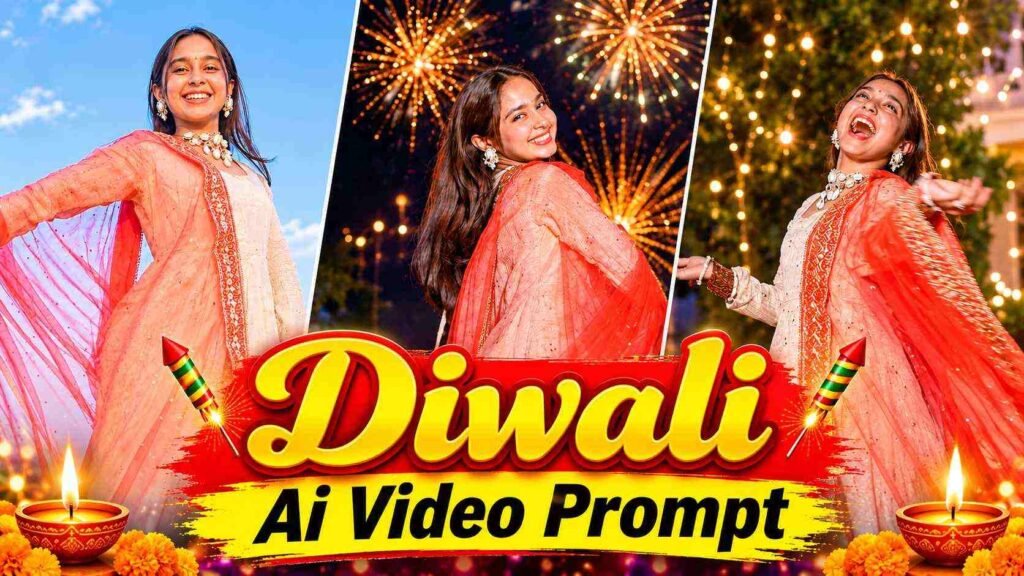
Diwali Ai Video Prompt – These days, Ai transition videos related to Diwali are going viral on Instagram Reels. These videos feature a stunning combination of traditional outfits, beautiful poses, a fluttering dupatta, and glittering fireworks in the night sky. The most special feature of these videos is their day-to-night transition. The video begins with a girl dressed in a beautiful traditional lehenga and a red dupatta, standing under the open sky. She poses in various poses for the camera, waving her dupatta. The atmosphere of the video gradually shifts to a beautiful Diwali celebration at night. Golden and orange fireworks sparkle in the night sky, with lights and sparkles visible everywhere. During this, the girl sometimes turns back and smiles at the camera, sometimes turns around and waves her dupatta, and sometimes poses beautifully while watching the fireworks in the sky. Throughout the video, the girl’s traditional look, the natural movement of her dupatta, the cinematic camera angles, and the glittering fireworks in the background make it quite captivating.
The best part is that you don’t need to record multiple clips or spend hours working in a video editing app to create such a stunning Diwali Transition AI video. Using just one of your photos and a video prompt, you can create a stunning Diwali Transition AI video using Google Flow AI.
About Diwali Transition Ai Video Editing
Diwali Transition AI Video is an AI video effect that transforms an ordinary photo into a beautiful, cinematic Diwali celebration video. Using your uploaded photo as a reference, the AI creates different movements and scenes based on the girl’s face, clothing, and look. The opening day scene, followed by the transition to night, is particularly striking. In the night scene, the dazzling fireworks, golden lights, sparkles, and the girl’s beautiful traditional poses give the video a unique look. We’ll be using Google Flow AI to create this video. All you need to do is upload a photo of a girl and then paste the provided video prompt into Google Flow. The prompt will provide instructions regarding the scene in the video, the girl’s movements, camera movements, and changes to the background. Google Flow will then generate the video based on these instructions. This way, you can create a Diwali-specific AI video of your choice without shooting with a camera or any complicated editing.
Diwali Video Prompt
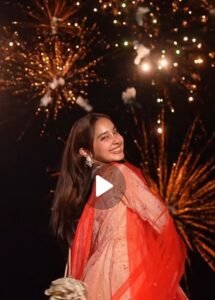
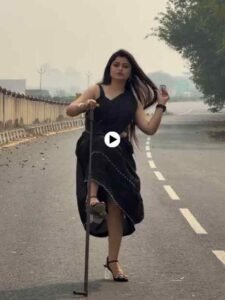
REFRANCE VIDEO
Boy Video Prompt
Girl Video Prompt
CREATE VIDEO
Make A Diwali Transition Ai Video Using Flow Ai
To create a viral Diwali Transition AI Video, open the Google Flow website. On your mobile or computer and sign in with your Google account. Click on New Project to start. Now, upload a clear photo of the girl wearing a traditional outfit. Make sure her face is clearly visible and well-lit. Next, copy the Diwali Transition AI Video Prompt given below and paste it into the Prompt Box. The prompt will guide Google Flow to create beautiful scenes, including the girl’s movements, flowing dupatta, a day-to-night transition and stunning fireworks in the sky. Once everything is ready, click on Generate and wait for Google Flow to create your video. After generation, watch the complete video to check the result. If you’re happy with it, simply click on the Download option to save it to your device. That’s it! Your beautiful Diwali Transition AI Video is ready to share.
Save A Video Created With Flow Ai
Once Google Flow generates the video based on your prompt, first play it back carefully. Check that the girl’s face, traditional outfit, the movement of the dupatta, and the day-to-night transition are clearly visible. Also, make sure that the fireworks, bright lights, and background ambiance of the night scene are clearly visible. If the video is as per your expectations, save it to your mobile or computer using the Download or Save options available in Google Flow. You can then open the video in CapCut, VN, or another video editing app. Trim the beginning and end as needed. To make the video more appealing. You can add some nice Diwali-related background music, light sound effects, and a short text as needed. If you want to upload this video to Instagram Reels or YouTube Shorts. Export it in a vertical 9:16 format so the video’s full cinematic look is clearly visible on mobile screens. This way, the video generated by Google Flow can be shared on social media after a little final editing.
Last Word
If you want to create a stunning and engaging AI video from your photos. This Diwali, you can definitely try this Diwali Transition Effect using Google Flow AI. You don’t need an expensive camera or sophisticated video editing. Simply upload a good photo, use the video prompts above, and let Google Flow do the work. Once the video is ready. You can add your favorite Diwali music and share it on Instagram Reels and YouTube Shorts. Moreover, We hope this article helped you understand how to create a Diwali Transition AI video. If you liked this method, be sure to try making your own Diwali AI video.

I’ve Been editing photos and videos for over 5 years. Here, I share Lightroom Presets, Ai Photo Editing Prompts, Vn Templates, and easy editing tutorials so you can give your photos and videos a professional look. Welcome to the world of creative, high-quality editing