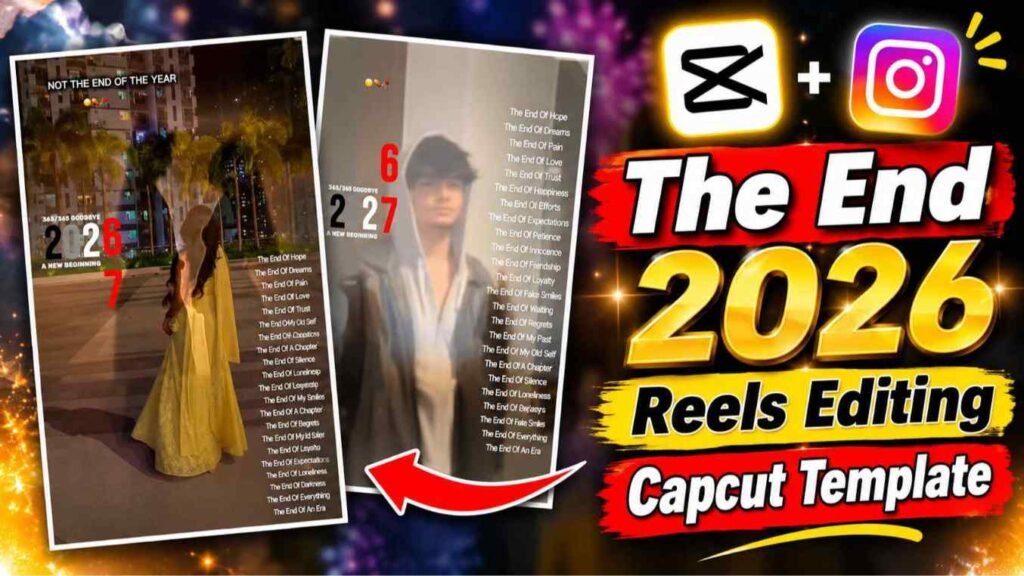
The End of 2026 Capcut Template – The year 2026 is now slowly moving towards its final stage and with this, many types of videos and reels related to the new year are being seen on the internet. Among these, The End of 2026 Reels is being discussed the most. Nowadays this type of reel is becoming very popular on Instagram. Many people are making this video to show their old memories in a different and attractive way. The special thing is that to make this kind of video, it is not necessary for you to have any special editing knowledge. You can create your own reel in no time with the help of CapCut Template by just taking some of your good photos or video clips. This template comes with music, effects, text, and video transitions already set. All you need to do is add the photos and videos of your choice. After this your video is automatically ready. If you also want to be a part of this new trend and want to share your memories in the form of a beautiful video, then this article is going to be very useful for you.
About The End of 2026 Reels Editing
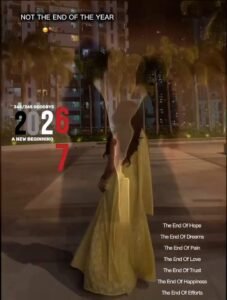
The End of 2026 Reels is a special kind of short video, in which the end of the year 2026 is shown in an emotional and attractive way. The video includes scenes of the person walking, looking back, and approaching the camera in different poses. Along with this, numbers related to 2026 and 2027 and writing showing the last days of the year are visible on the screen. The most special thing about the video is its presentation, in which even simple scenes appear quite beautiful. It has a good mix of slow-motion scenes, glowing effects, light fog and music. That is why people are loving to share these types of reels on their Instagram account. If you have also seen such a video and are thinking that it will take a lot of time to make it, then it is not so at all. It’s very easy to create with CapCut’s ready-made templates. All you need to do is choose your photos or short videos and add them to the template. After this, in no time your own The End of 2026 reel will be ready, which you can share with your friends and family.
What Kind Of Clips Should Be Taken For Such A Video?
If you want to make your The End of 2026 reel beautiful and attractive, then first of all you should choose the right photos and video clips. In this type of video, such scenes look better in which you are seen walking. Standing in a beautiful place or looking back towards the camera. You can record your video in an open field, road, park, beach or any lighted place. Try to make the surrounding scene clearly visible in your video, because this makes the reel look more beautiful. Apart from this, you can also choose some photos and short videos related to your old memories. If you have good clips of travel, time spent with friends or any special occasion, they can also be used. While recording video, keep the mobile steady and avoid moving it too much. For better results, create the video in vertical direction, so that it appears well in the Instagram reels size. Try to have good lighting in all the clips and your face and surrounding scene are clearly visible. By choosing the right photos and videos, even your simple reel can become quite attractive.
The End of 2026 Capcut Template
CHECK TEMPLATE
Make The End Of 2026 Reels Using Capcut Template
Now let’s talk about how you can create your The End of 2026 reel with the help of CapCut Template. For this, first of all you have to install CapCut application in your mobile. After this go to the template link given below. There you will see the template related to this video. Now click on the option Use Template in CapCut. The template will then open in your CapCut application. Here you will get the option to add your own photos or video clips. Now add pre-selected photos and video clips from your mobile’s gallery one by one. Make sure to choose only as many photos or clips as the template requires. After adding all the photos, be sure to preview the video once to make sure all your clips are in the right place. If everything looks fine, click on the Export option to save the video to your mobile. After this you can share this video directly on Instagram as a reel. This way, your The End of 2026 reel will be ready in just a few minutes without any difficult editing.
Last Word
Hopefully you have understood how to make The End of 2026 Reels. With this CapCut template, you can create a stunning reel in just minutes by combining your favorite photos and video clips. For this you do not even need to have any special video editing knowledge. Simply open the template, add your photos, and share the video to Instagram once it’s ready. If you like this template, do share it with your friends too.

I’ve Been editing photos and videos for over 5 years. Here, I share Lightroom Presets, Ai Photo Editing Prompts, Vn Templates, and easy editing tutorials so you can give your photos and videos a professional look. Welcome to the world of creative, high-quality editing