
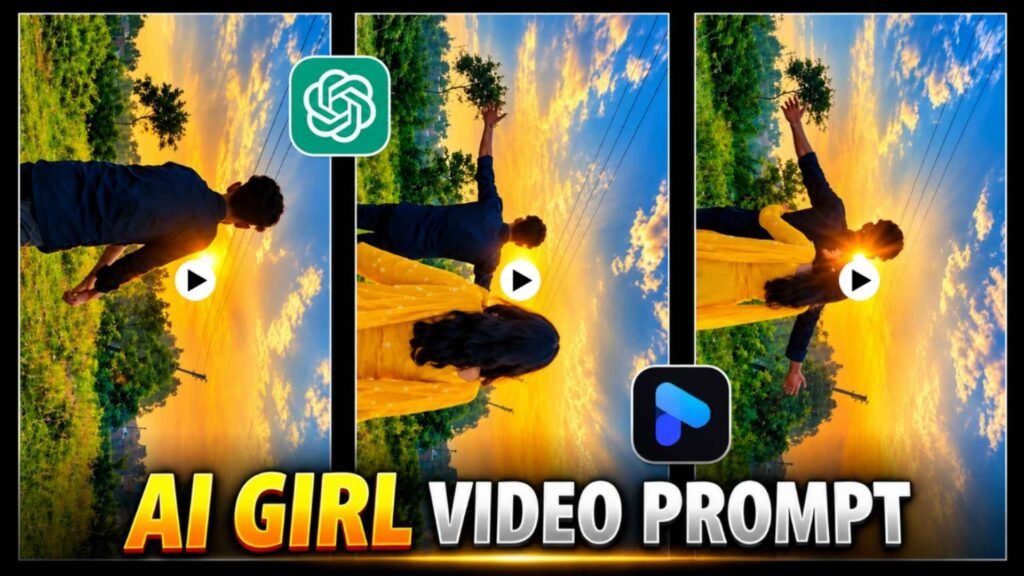
Ai Girl Hug Video Prompt – Every day new methods of photo and video editing are seen on social media. Some of these trends become so popular that people start making similar videos using their own photos. These days the trend of AI Girl Hug Video Editing is also attracting people’s attention. In this type of video, people create a beautiful, emotional and cinematic video through artificial intelligence with the help of a simple selfie or a clear photo. To make this video, you do not need any expensive camera, video editing software or shooting. You can create a character sheet of your photo with the help of ChatGPT and then try making a video with the help of Google Flow AI or Gemini’s video making option. Using a reference video in this process can help bring the result closer to the scene you want. In this article, we will explain to you the entire process from beginning to final video preparation in easy language, so that you too can try this new AI video editing trend. How to make the video, which prompts to use, etc. Everything will be explained in detail.
What Is There in Ai Girl Hug Video?
AI Girl Hug Video is a video editing style in which a photo of a person is made part of an emotional scene with the help of artificial intelligence. You must have seen in such videos that in the beginning the camera shows an open field, natural place or beautiful background. After this, a boy is seen in the video, who stands alone for some time or moves forward slowly. Then a girl appears in front of him and both move towards each other and hug. This emotional moment is the most attractive part of this video. In this type of video, the use of soft sunset light, open sky, natural environment and slow camera movement is seen. These things give the video a cinematic look and make the scene feel more real. However, the scenery, clothing, camera angles and background may vary from video to video. The special thing about this trend is that you do not need to shoot a video with a girl yourself.
You can try to create a similar scene with the AI using an example video and your character sheet images. The end result depends on how well the tool used can understand faces, body shapes, movements and the scene.
Do We Have to Use Reference Videos?
Yes, if you want to create a specific viral video like AI Girl Hug Video, then using a reference video can be a good way. This is because it is not always easy to explain a scene just by writing. Sometimes the AI interprets your instructions differently and the video doesn’t turn out the way you thought it would. For example, you may want a boy standing in an open field, a girl approaching, and the two embracing, but the camera angle, people’s movements, or meeting scene may be different from what you expected. Reference video can reduce this problem to some extent. In that, the AI gets examples of the structure of the scene, the movements of the characters, the direction of the camera, and the sequence of events. You can first save the video whose view you like on your device. After this, prepare your character sheet images, upload both of them to the video making tool and give your instructions. Keep in mind that providing a reference video does not guarantee exact results. AI can replace certain activities or scenes. Also, be mindful of someone else’s permission and privacy when using their videos.
How To Create Character Sheet Image Using Chatgpt?
Before making a video, it is useful to prepare a good character sheet image of yourself. A typical selfie often shows only the face and shoulders, while a video may show a person walking, turning, or hugging another person. In such a situation, giving information about body structure, clothes and different angles to AI can help in improving the results. For this reason, it is a good option to first prepare the character sheet with the help of ChatGPT.
Image Create Prompt

CREATE PHOTO
- Use a photo that clearly shows your face.
- Open ChatGPT on your mobile or computer and select the option to upload an image.
- Upload the selfie or portrait photo you want to use for your face in the video.
- Now carefully copy the image prompt shown above and paste it into the chat box.
- Look carefully at the face, hairstyle, beard, clothing and body structure in the finished image.
- When the character sheet looks right, save it on your mobile.
Make AI Girl Hug Video Using Image & Reference Video
Now your character sheet image is ready and the reference video is also saved in your mobile, so now it will be very easy to create AI Girl Hug Video using both of them. First of all, open Google Flow AI in your mobile browser and sign in with your Google account. After this, start a new project and choose the available options to create a video. Now upload the reference video whose look you want to create in your video. After this, upload your character sheet image created with ChatGPT, so that AI can understand your face, clothes and body structure. Now substitute the video creation Ai Girl Hug Video Prompt you already have in the given instructions and select the option to generate video. The AI will attempt to generate a video based on your instructions and the available context.
Ai Girl Hug Video Prompt
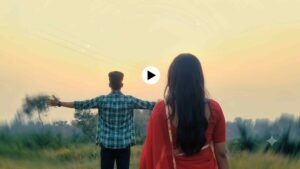
After the video is made, watch it carefully to see if facial recognition, body movements, camera angle and the hug scene are visible correctly or not. If the results are not as you expected, try again by making necessary changes to the instructions. Finally, when satisfied, save the video on your mobile and share it on Instagram Reels or YouTube Shorts. Keep in mind that results are not the same every time and certain features must be available in your account.
Conclusion
If you like to create new and attractive videos with the help of AI, then AI Girl Hug Video Editing trend can be a good experiment for you. The best thing about it is that you do not need to go to any particular place and shoot the video yourself. With the help of a clean photo, a character sheet generated by ChatGPT, and a suitable reference video, you can try to create such a scene for yourself. Finally, you can share your finished video on Instagram Reels, YouTube Shorts or other social media platforms. While using other people’s photos and videos. Be sure to take their permission and do not share Ai generated videos as if they were real events.

I’ve Been editing photos and videos for over 5 years. Here, I share Lightroom Presets, Ai Photo Editing Prompts, Vn Templates, and easy editing tutorials so you can give your photos and videos a professional look. Welcome to the world of creative, high-quality editing
Pingback: Top 5 Maa Durga Photo Editing Prompts | Durga Puja AI Photo -