
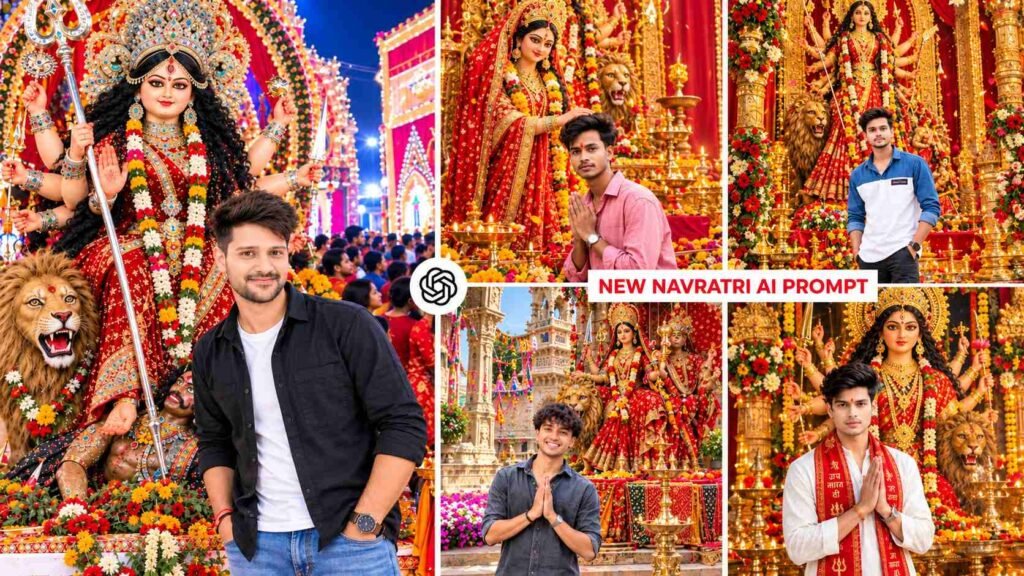
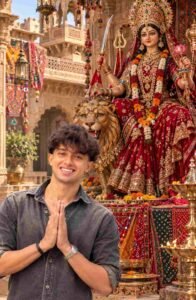
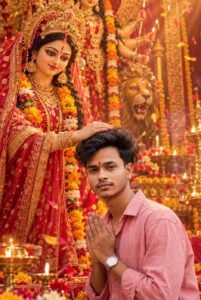
Maa Durga Photo Prompt – During Durga Puja and Navratri, the trend of creating a beautiful, grand, and realistic AI photo of yourself with Goddess Durga is quite popular. If you want to transform your ordinary photo into a stunning devotional portrait, you can do so with the help of ChatGPT. In such AI photos, you can show yourself standing with folded hands in front of Goddess Durga, kneeling in prayer, or receiving her blessings. The most striking feature of these photos is the grand Durga pandal, traditional idol, red chunri, golden jewelry, floral decorations, burning diyas, and temple-like atmosphere. The five different concepts presented here include scenes such as a temple-style pandal from Uttar Pradesh, a huge traditional Durga idol, golden lighting, and royal Rajasthani decorations. These prompts aim to create a natural, cinematic, and DSLR-style portrait while preserving the face and identity of your reference photo as much as possible. You can use any prompt of your choice to give your photo a unique devotional look.
Maa Durga Photo Editing 2026
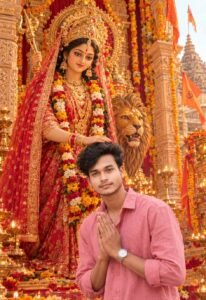
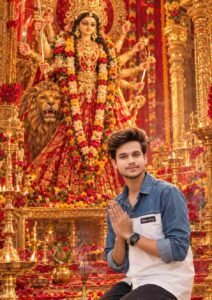
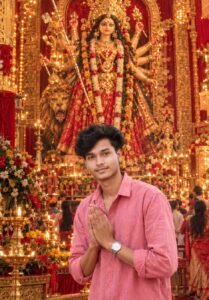
Maa Durga AI Photo Editing presents your reference photo in a new religious and festive environment. Using your photo as a base, the AI attempts to create an idol of Maa Durga, temple-like pillars, garlands of flowers, brass lamps, light from incense, and a pandal filled with lights. The five concepts in this article feature different visual styles. Some prompts show Maa Durga blessing you with her hand on your head, while others show you sitting or standing before the goddess with folded hands. One prompt, instead of a traditional North Indian pandal, features a regal Rajasthani mansion-like atmosphere, showcasing a grand idol of Maa Durga in a red attire, Kundan-like jewelry, a Rajput crown, and a decorated lion. All of these concepts focus on vertical 9:16 composition, realistic skin texture, natural colors, and detailed backgrounds, making the image suitable for Instagram Reels, Stories, and other social media posts.
Create A Maa Durga Photo Using Chatgpt
To create your Maa Durga AI Photo, first select a clear reference photo of yourself, one in which your face is clearly visible, and your hairstyle, skin tone, and facial features are easily recognizable. Next, upload your photo using the image upload option in ChatGPT. Copy and use one of the five prompts below. If you want a photo of yourself receiving blessings from Maa Durga, choose the “blessing” concept; if you want a photo with folded hands in a devotional mood, you can use the “kneeling” or “folded-hands” prompt. For those who prefer a royal and distinctive visual, a Rajasthani-inspired Durga idol concept is also available. The prompts include things like preserving identity from the reference photo, realistic skin texture, and vertical 9:16 framing. After providing the instructions, ask ChatGPT to generate the image. For best results, use a reference photo that doesn’t blur your face or has too many filters applied. Keep in mind that even if you’re instructed to preserve identity, there’s no guarantee that the AI will retain the exact same face every time.
Maa Durga Photo Prompt
Navratri Ai Photo Prompt
Customize and Correct Your Maa Durga Ai Photo
After the image is generated for the first time, if the image doesn’t meet your expectations, instead of changing the entire prompt, give correction instructions only for the part that has the problem. For example, if the face appears different from the reference photo, ask the AI to more carefully preserve facial identity, hairstyle, skin tone, and natural facial features. If the face or decoration of the Maa Durga idol is not accurately rendered, ask it to refocus on the traditional Indian goddess image, elaborate crown, red chunri, and natural devotional appearance. Similarly, if the pandal appears too simple, instruct it to enhance the carved temple pillars, marigold garlands, brass diyas, and elaborate floral decorations. In a royal Rajasthani concept, focus on retaining elements like sandstone jharokhas, bandhani textiles, and antique lanterns, while in North Indian temple-style concepts, prioritize temple pillars, saffron flags, and traditional decorations. If the lighting appears too bright or artificial, ask for a balance between natural daylight and warm lamp glow. It’s helpful to make one or two changes at a time, as changing too many instructions at once can alter other parts of the photo.
Final Thoughts
With the help of Maa Durga Photo Editing Prompt, you can try transforming your reference photo into a beautiful devotional portrait. The five concepts in this article are based on different poses and visual styles, including seeking blessings from Maa Durga, praying with folded hands, standing in front of a giant statue, and creating a portrait in a royal Rajasthani setting. Choose the prompt of your choice, upload your clear reference photo to ChatGPT, and generate the image according to the instructions. If the first image appears to have any flaws in the face, pose, lighting, or background, try to refine it with small correction instructions.

I’ve Been editing photos and videos for over 5 years. Here, I share Lightroom Presets, Ai Photo Editing Prompts, Vn Templates, and easy editing tutorials so you can give your photos and videos a professional look. Welcome to the world of creative, high-quality editing
Pingback: Dandiya Garba Look Ai Photo Editing Prompt | Garba Ai Prompt