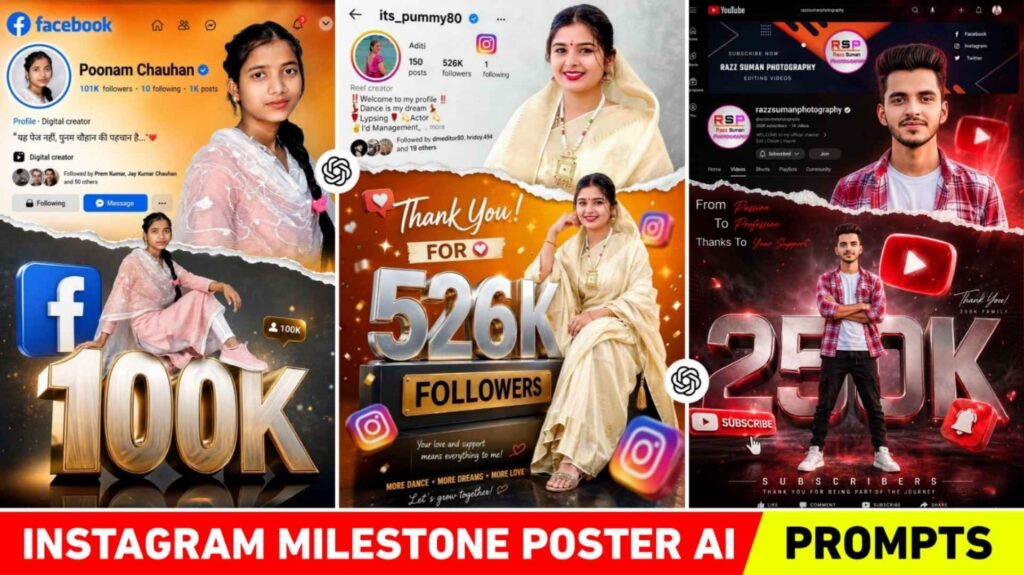
Instagram Milestone Poster Prompts – Nowadays, the trend of AI Photo Editing is becoming viral very fast on social media. Especially the Instagram, Facebook and YouTube milestone poster photos which people are liking a lot at this time. You must have also seen that nowadays people are creating cinematic and premium looking milestone posters to celebrate their followers, subscribers or social media achievements. If you are old in editing then you would know that earlier only professional graphic designers could make such photos. But now with the help of ChatGPT and AI image tools, anyone can easily create such photos. The most special thing about these milestone posters is that they combine your profile screenshot, stylish photo pose, 3D metallic text and social media branding elements to create a premium celebration design. People also like the photo because it gives a professional look to the profile and also increases audience engagement. In this article we are going to share with you some prompts for making similar photos. For Instagram, Youtube And Facebook.
What Are The Things In Milestone Photo?
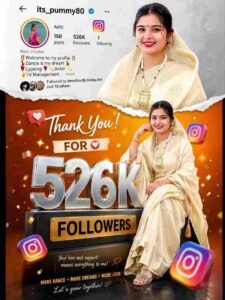
If you have seen viral Instagram, Facebook or YouTube milestone posters, you may have noticed that many creative elements are combined together in them. This is the reason why such photos look premium, attractive and professional. For example, in the Instagram milestone poster, a screenshot of the Instagram profile is placed along with a stylish photo of the creator, in which the follower count, profile picture, bio and username are visible. Apart from this, big metallic 3D text like “50K” or “100K” is used in the poster, which gives a celebration feel. Similarly, the design of blue theme, floating Facebook icons, reaction emojis and profile interface is used in the Facebook milestone poster. Whereas red theme, subscribe button, play button icon, notification bell, subscriber count and channel interface are included in the YouTube milestone poster. Often two photos of the creator are used in these designs. One stylish portrait photo and the other full-body pose photo. Apart from this, torn paper effect, glowing highlights are also used. This is why this type of photo is becoming more viral now.
Will Uploading Profile Screenshot Give Good Results
Many people have a question that if we upload only selfie photos in AI tool, will we get good results. The direct answer is yes, but if you upload a screenshot of your profile along with the selfie photo. So the result will be more realistic and accurate. The reason for this is that the AI tool helps in creating a similar layout and social media interface design by looking at your profile details. For example, if you want to create an Instagram milestone poster. So upload a screenshot of your Instagram profile with a clear selfie photo. In which profile picture, username, followers count and bio are visible. By doing this AI will create an interface like your original profile. Similarly, by uploading a screenshot of your channel page and clear face photo for YouTube milestone poster, the channel interface will look exactly like real. One thing to keep in mind is that the selfie photo should be high-quality. Face should appear clear and background should not be too messy.
Instagram Milestone Poster Prompts
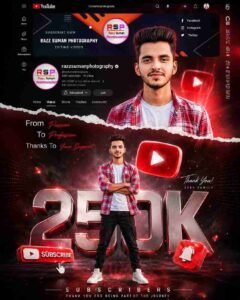
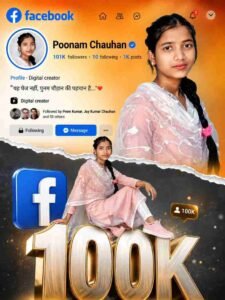
Milestone Poster Prompt
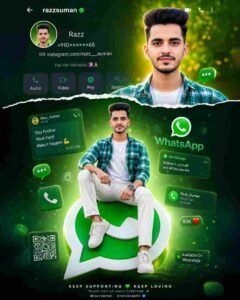
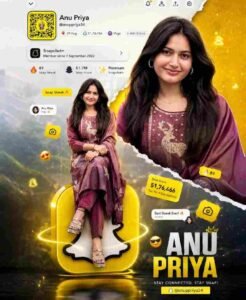
Use Chatgpt Instagram Milestone Poster Prompts
If you want to create such milestone poster photo by yourself, then it is very important to use the prompt properly in ChatGPT. First of all you have to prepare a detailed prompt. First of all you have to prepare the prompt. We have already prepared the prompt for you. Which is given in paragraph four. Copy it well. After copying, make changes as per your choice. Like if you want to make photos for Instagram. So copy the prompt of Instagram and change the follower count number along with the user name. After this, paste your prompt in ChatGPT and upload your selfie photo and profile screenshot. Then the AI tool will generate a detailed poster. If you do not get a perfect result the first time, then make the photo again by changing. Some things in the prompt. After a little practice, you will be able to create a very premium and viral milestone poster which people will definitely ask how did you create this photo. When the perfect photo is created, click on your photo to save the photo and click on save at the top.
Conclusion
Today, Instagram, Facebook and YouTube milestone posters are not just a photo but have become a part of social media branding. People want to celebrate their achievements in a special way. That is why AI milestone photos are going viral so fast. Earlier, people had to pay designers to create such designs. But now with the help of ChatGPT AI prompts. Anyone can easily create professional and premium milestone posters. If you also want to celebrate your followers or subscribers. Then use a detailed prompt with a clear selfie photo and profile screenshot. In this article we have complete information about milestone photo. We’ve shared great instagram milestone poster prompts for creating photos like that.
FAQ
1. Is It Necessary To Upload A Profile Screenshot?
Ans. – It is not necessary, but if you upload a screenshot, the result will be more realistic and profile-like.
2. What Kind Of Selfie Should Be Used For A Good Ai Photo?
Ans. – Use a selfie with a clear face, good lighting, and HD quality.
3. What To Do If You Don’t Get Good Results The First Time?
Ans. – Modify the prompt slightly, improving the lighting, pose, and background details. This will yield better results.

I’ve Been editing photos and videos for over 5 years. Here, I share Lightroom Presets, Ai Photo Editing Prompts, Vn Templates, and easy editing tutorials so you can give your photos and videos a professional look. Welcome to the world of creative, high-quality editing