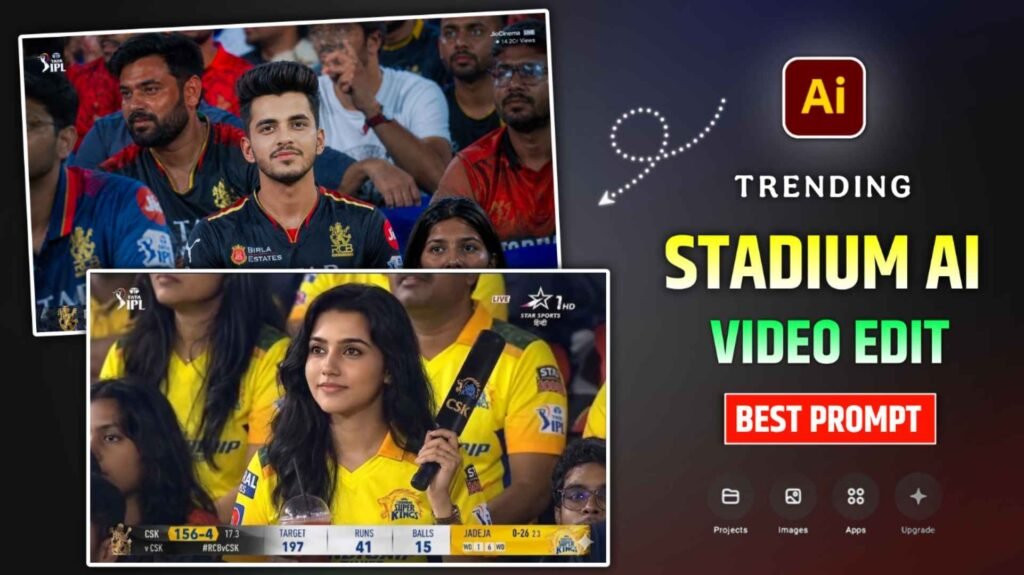
Cricket Stadium Ai Prompt – Nowadays people are so crazy about cricket that they don’t even ask anything, wherever cricket is played. People there like to go to the stadium and watch cricket very much. When people watch cricket and the camera man focuses on his face, he jumps with joy. Because the camera keeps running live. The entire recording is shown on the front-facing TV as well as on the Internet. Currently, an AI video similar to this is trending a lot on Instagram. In which it is shown that you are sitting in the stadium watching cricket and the focus of the camera is completely on you. Many people are making and sharing videos of themselves sitting and watching cricket with their favorite team like Virat Kohli, MS Dhoni etc. next to them. Which is going viral very fast at the moment. People are currently knowing this type of video by the name of Cricket Stadium AI video editing or Broadcast AI Reels Editing. Today’s article is related to this, in which I will tell you how you can make that kind of video with the help of AI.
Detail Of Cricket Stadium Ai Video Editing
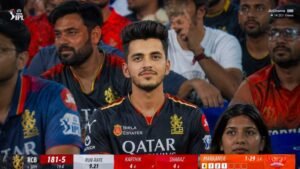
I told you what happens in that kind of video but let me tell you again. Basically that kind of video is a video created using your face. In which you are sitting in the stadium where everyone sits and watches cricket. With the help of AI, the video is made in such a way that it looks as if the cameraman is completely focusing on you. Those who do commentary in cricket start talking about you. To make such a video, first we have to make a good photo, which you can make using Google Gemini or chatgpt, for which I will give prompt in this article. Then we have to create a video using that photo for which we will use the Flow Ai website. That is to say, in this article we will share two types of prompts with you. First of making an image and then making a video from that image. If you want to make a photo with your favorite team, then we will share it in the photo making prompt. You can create such a photo by adding some text as per your choice. When your video is made.
Create Cricket Stadium Ai Photo Using Gemini Prompts
You can easily create a photo by doing the prompt that I will give you to create a photo in both Google Earth and incognito chat. But believe me, you should make photos using Gemini, this is because the face matches perfectly in the photo made by Gemini. This works only if the reference (selfie photo) is of good quality. That’s why before making a video, try to use any reference photo. That of clicking it well and also showing the face well in it. After this is done, to create a photo from Gemini, we have given a button named Create Image in paragraph four, by clicking on which you can create a photo from Gemini’s website. If you want to make photos with the help of an app, then install the app from Google Play Store. Login with Gmail and select Create Image option, then click on Media option and add your reference photo. Also put the photo making prompt given by me there and click on the send button.
Gemini will create your photo and deliver it in no time. If you do not see good results in one go, you can try again. When your photo is made. So click on the photo to take a closer look. To save, click on the Save button to save the photo. In this way you can make a photo with gemini.
Cricket Stadium Ai Photo Prompt
How To Create Cricket Stadium Ai Video Using Flow Ai?
I am telling you to use Flow ai website for making videos because better results are being seen only from Flow ai. There are many other AI tools using which you can create videos. But results like Flow AI will not be seen in anyone. I am telling you step by step. How to create a similar video with prompts using photos created by Gemini in Flow AI.
Video Create Prompt

- Type Flow Ai in any browser and search.
- Login with Gmail by clicking on the Create with Flow button.
- Now click on the New Project option.
- Select the Nano Banana 2 option on the right side.
- Select the video option and set the ratio to Portrait.
- Now click on Start and add the photo created by Gemini from the gallery.
- Then copy and paste the video prompt we shared into the chat box.
- After everything is done, click on the send button on the right side.
- Now wait for about one minute.
- After waiting for some time your video will be made.
- Click on the video to watch it and click on the Save button at the top to save it.
Final Thoughts
Currently, the video of cricket stadium is trending on social media, especially Instagram and YouTube. We have told about its editing in this article. In this article we have given complete information from photo to video making. Also shared two Cricket Stadium Ai prompt. First to make a photo and second to make a video. How to create such a video using the prompts given in the ai tool. I have hope that we have explained everything step by step well. By understanding the method explained by us, you must have learned to make that kind of cricket stadium video.

I’ve Been editing photos and videos for over 5 years. Here, I share Lightroom Presets, Ai Photo Editing Prompts, Vn Templates, and easy editing tutorials so you can give your photos and videos a professional look. Welcome to the world of creative, high-quality editing